

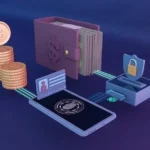

Hardware wallets are considered one of the most secure ways to store cryptocurrencies․ Unlike software wallets (desktop, mobile, or web-based), hardware wallets keep your private keys offline, significantly reducing the risk of hacking and theft․ This article details how to store your crypto using a hardware wallet․
What is a Hardware Wallet?
A hardware wallet is a physical device, often resembling a USB drive, that stores your private keys – the crucial information needed to access and spend your crypto․ These keys never leave the device, even when connected to a computer․ Transactions are signed within the wallet, protecting them from malware on your computer․
Popular Hardware Wallet Options
- Ledger Nano S/X: Widely popular, supports a vast range of cryptocurrencies․
- Trezor Model T/One: Another leading brand, known for its open-source nature․
- SafePal S1: Air-gapped wallet offering strong security․
Setting Up Your Hardware Wallet: A Step-by-Step Guide
- Purchase from the Official Website: Crucially, buy directly from the manufacturer to avoid tampered devices․
- Initialize the Device: Connect the wallet to your computer and follow the on-screen instructions․
- Generate a Seed Phrase: This is a 12-24 word phrase – write it down on paper (never digitally!) and store it securely․ This is your backup!
- Verify the Seed Phrase: The wallet will ask you to confirm your seed phrase․ This ensures you’ve recorded it correctly․
- Set a PIN Code: Protect physical access to your wallet with a strong PIN․
- Install Wallet Software: Download the official wallet application (Ledger Live, Trezor Suite, etc․) to manage your crypto․
Adding Cryptocurrencies to Your Hardware Wallet
Using the wallet software, you can add accounts for different cryptocurrencies․ The software will guide you through the process of generating addresses for each coin․ Always double-check the address before sending crypto!
Sending and Receiving Crypto
When sending crypto, the transaction is initiated through the wallet software, but signed by the hardware wallet․ You’ll need to physically confirm the transaction on the device itself․ Receiving crypto is as simple as providing the address generated by your hardware wallet․
Security Best Practices
- Protect Your Seed Phrase: This is the most important thing․ Store it offline, in a secure location․
- Use a Strong PIN: Don’t use easily guessable PINs․
- Keep Firmware Updated: Regularly update your wallet’s firmware for the latest security patches․
- Beware of Phishing: Never enter your seed phrase on any website or app․
Hardware wallets offer a robust layer of security for your cryptocurrency holdings․ While they require a small upfront investment, the peace of mind they provide is invaluable․