


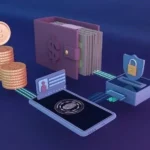

Solana‚ known for its speed and low transaction fees‚ is a rapidly growing blockchain. As your Solana holdings increase‚ securing them becomes paramount. While exchanges offer convenience‚ they also present a single point of failure. Hardware wallets provide the highest level of security for your Solana (SOL) and other SPL tokens by storing your private keys offline.
What is a Hardware Wallet?
A hardware wallet is a physical device‚ resembling a USB drive‚ that stores your private keys – the crucial credentials needed to access and manage your cryptocurrency. Unlike software wallets (desktop‚ mobile‚ or browser extensions) which are vulnerable to online attacks‚ hardware wallets keep your keys isolated from the internet‚ significantly reducing the risk of hacking and theft. Transactions are signed within the device‚ meaning your private keys never leave it.
Why Use a Hardware Wallet for Solana?
- Enhanced Security: Offline storage protects against malware‚ phishing attacks‚ and remote access.
- Protection Against Exchange Hacks: You control your keys‚ not a third party.
- Support for Multiple Cryptocurrencies: Many hardware wallets support Solana and other blockchains.
- Transaction Verification: You physically verify transaction details on the device’s screen before signing.
Popular Hardware Wallet Options for Solana
Ledger Nano S Plus & X
Ledger is a well-established name in the hardware wallet space. Both the Nano S Plus and Nano X support Solana. The Nano S Plus is more affordable‚ while the Nano X offers Bluetooth connectivity for mobile use. Important: Ensure you are using the latest firmware to support Solana features.
Trezor Model T
Trezor‚ another reputable brand‚ offers the Model T‚ which features a touchscreen interface. It supports Solana and a wide range of other cryptocurrencies. Trezor is known for its open-source nature‚ allowing for community audits and increased transparency.
SafePal S1
SafePal provides a more budget-friendly option with the S1 hardware wallet. It supports Solana and offers both Bluetooth and USB connectivity. SafePal also has a mobile app for managing your assets.
Setting Up Your Solana Hardware Wallet
- Purchase a Wallet: Buy directly from the manufacturer’s official website to avoid tampered devices.
- Initialize the Device: Follow the on-screen instructions to set up a PIN code and generate a recovery seed phrase (write this down securely!).
- Install Solana App: Connect the wallet to your computer and install the Solana app (available through the wallet’s app store).
- Create or Import a Solana Account: You can create a new Solana address or import an existing one.
- Verify Address: Double-check the Solana address displayed on the hardware wallet’s screen before sending funds.
Important Security Considerations
- Keep Your Recovery Seed Safe: This is your ultimate backup. Store it offline‚ in a secure location‚ and never share it with anyone.
- Use Strong PIN Codes: Choose a PIN that is difficult to guess.
- Update Firmware Regularly: Manufacturers release updates to address security vulnerabilities.
- Beware of Phishing: Always verify the authenticity of websites and emails before entering your seed phrase or PIN.
Investing in a hardware wallet is a crucial step in protecting your Solana assets. While it requires a small upfront cost‚ the peace of mind and security it provides are invaluable. Remember to research different options and choose a wallet that best suits your needs and budget.
Character Count: 3213